How to Setup ClassLink Rostering Integration
Instructions for setting up ClassLink rostering integration and some tips to avoid known issues.
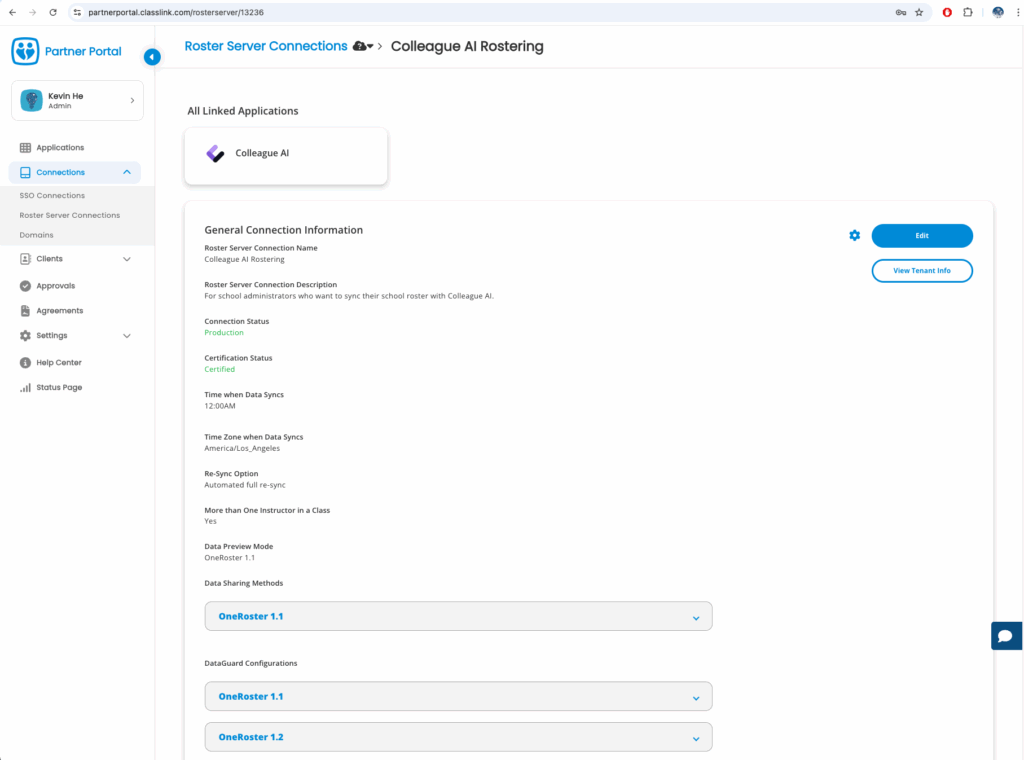
- Add Colleague AI Rostering app on the ClassLink portal
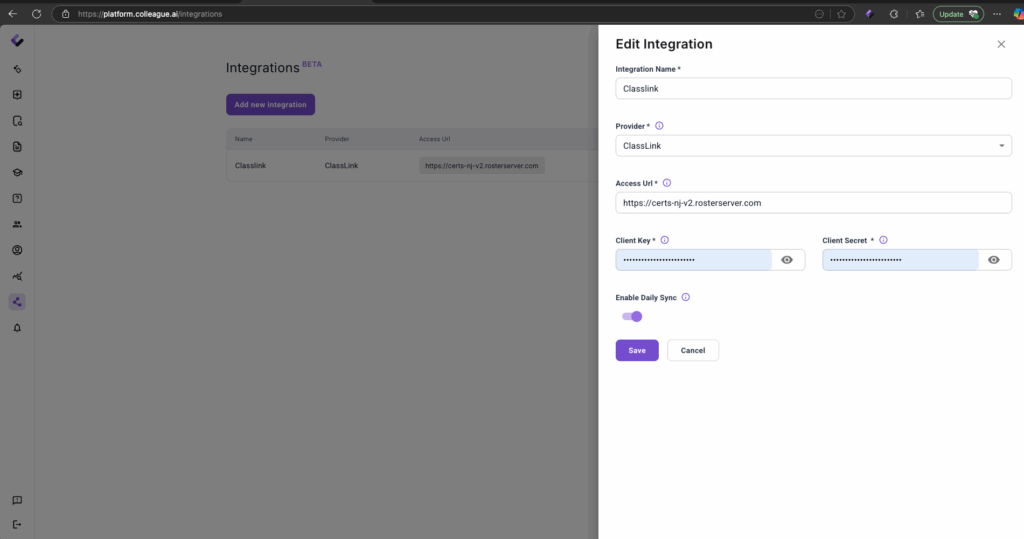
 2. Open Colleague AI "Integration" page:
 https://platform.colleague.ai/integrations?tab=rostering and create a new integration. Input Client key and client secret from ClassLink portal.
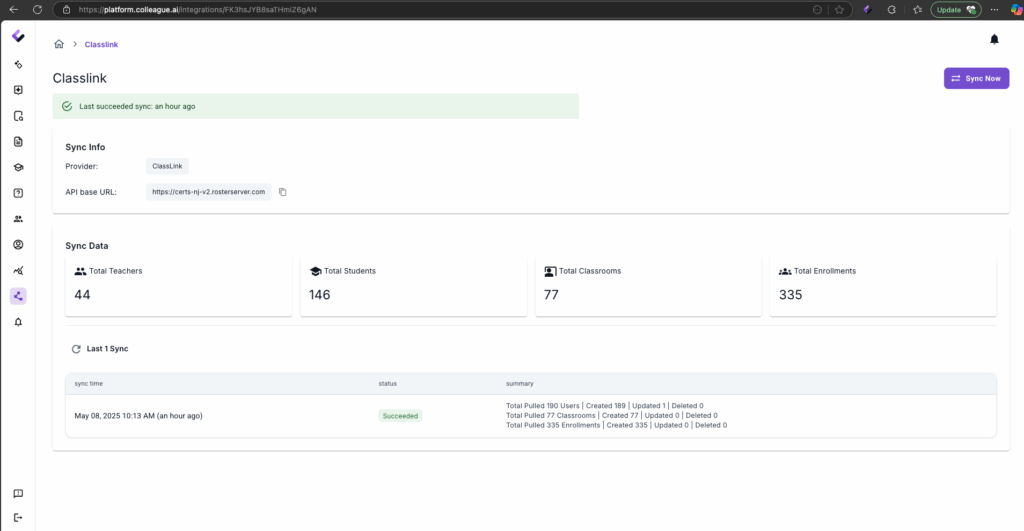
 3. Click the "Sync Now" button to initiate the first rostering sync.
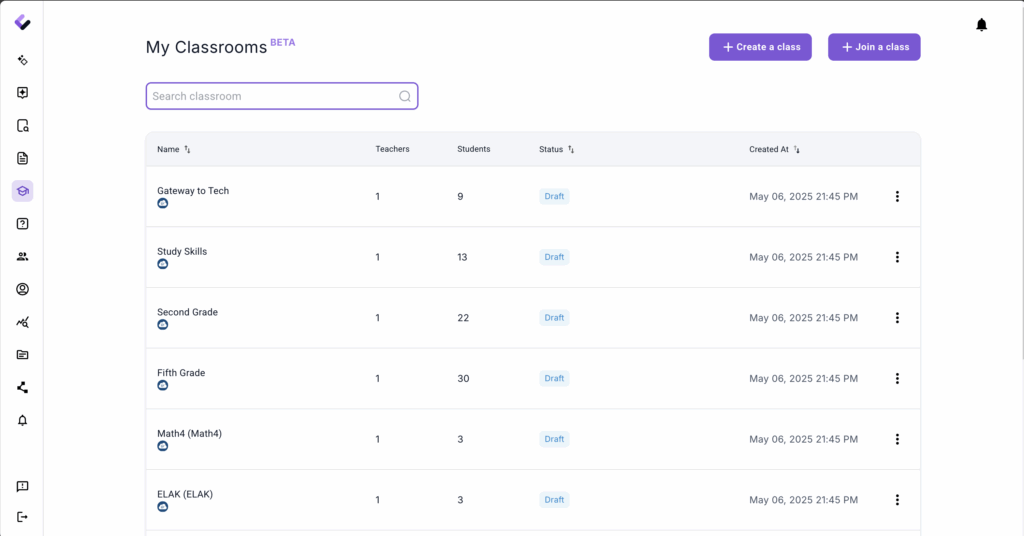
 4. Open the "Classroom" page to verify that all classroom enrollment data has been imported:
https://platform.colleague.ai/classroom
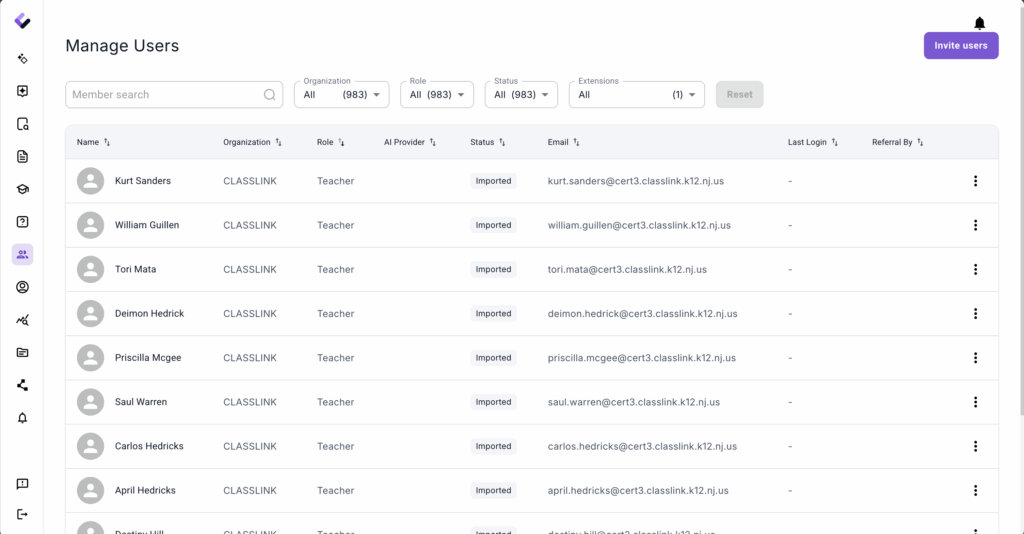
 5. Open the "Manage members" page to check all imported organization users (Teachers, Students, and Staff):
https://platform.colleague.ai/members
Published: July 2, 2025